
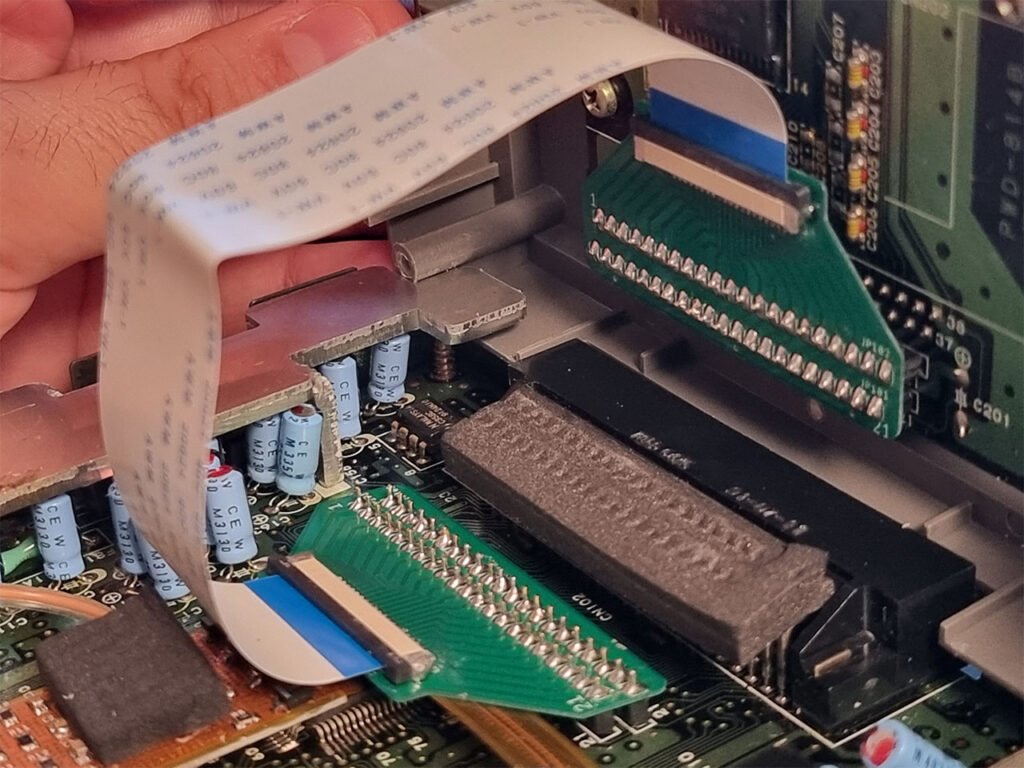
Did you know the first computer ribbon cable was made in 1956? This simple idea changed how people connect parts inside computers. If you learn about ribbon cables, you can fix old computers. You can also upgrade devices or work with machines in factories. You may wonder why ribbon cables are still important with all the new cables today. The answer might surprise you!
Key Takeaways
- Ribbon cables are flat and neat. They fit well in small spaces.
- The colors on ribbon cables help you match wires. This stops you from making mistakes.
- Pick a ribbon cable by counting the wires. Also, check how much space you have.
- Be careful when you touch ribbon cables. You do not want to break the wires or connectors.
- People still use ribbon cables today. They help fix or upgrade old devices.
Computer ribbon cable basics
What is a ribbon cable
You might see ribbon cables inside old computers or machines. These cables look like a strip of wires lined up side by side. Each wire runs parallel to the others, forming a flat cable that is easy to spot. You can think of it as a colorful highway for electricity. The wires often have color stripes, so you can tell which pin connects to which part. This color-coding helps you avoid mistakes when you plug things in.
Did you know? The invention of the computer ribbon cable in 1956 made it possible to replace thick, round cables with something much slimmer. This change made computers smaller and easier to build.
Ribbon cables became popular because they saved space and made connections simple. You could connect many pins at once, instead of dealing with a bunch of separate wires. If you work with old computers, you will probably run into ribbon cables. You might also see them in printers, scanners, or even some toys.
Structure and design
When you look at a ribbon cable, you notice its flat shape right away. The flat cable design keeps all the wires organized in a neat row. This makes it easy to fold or bend the cable inside tight spaces. You can find ribbon cables with different numbers of wires, from just a few to over fifty. Each wire carries its own signal, so you can connect lots of parts at once.
Here’s a quick table to show you what makes ribbon cables special:
| Feature | Description |
|---|---|
| Shape | Flat and wide, with parallel wires |
| Color Coding | Stripes or colors for easy pin identification |
| Wire Count | Varies from a few to dozens |
| Flexibility | Bends easily, fits in small spaces |
You will notice that ribbon cables use plastic insulation to keep the wires safe. The insulation also helps you bend the cable without breaking the wires. Some ribbon cables have connectors at each end, so you can plug them in quickly. Others need you to attach the ends yourself.
If you compare ribbon cables to round cables, you see a big difference. Round cables take up more room and can get tangled. Ribbon cables stay flat and organized, which makes your job easier when you install or repair devices.
You might hear people call ribbon cables “flat cable” because of their shape. Both names mean the same thing. When you choose a cable for your project, you should check how many wires you need and how much space you have. Ribbon cables work best when you want a tidy, space-saving solution.
Ribbon cables: pros and cons
Advantages
When you look inside a computer, you might notice how neat everything looks. Ribbon cables help keep things organized. You can fit them into tight spaces because they are flat and flexible. If you want to connect several parts at once, ribbon cables make it easy. You just line up the connector and press it in. No need to worry about tangled wires.
Here are some reasons why you might choose ribbon cables:
- You save space inside your device. The flat shape lets you tuck cables under circuit boards or around corners.
- You can spot the right wire quickly. Color stripes help you match pins without guessing.
- You get predictable performance. The wires run side by side, so signals travel smoothly. This design gives you low crosstalk, which means less interference between wires.
- You can connect many pins at once. If you work with old hard drives or floppy drives, ribbon cables let you hook up everything in one step.
Tip: If you need to upgrade or repair a legacy system, ribbon cables often make the job faster and easier.
Let’s compare ribbon cables and round cables for signal quality and interference:
- Ribbon cables have evenly spaced wires. This setup gives you steady electrical performance and helps with high-speed data.
- Round cables are stronger and have better shielding. They work better in places with lots of electromagnetic interference.
Disadvantages
Ribbon cables have some downsides you should know. If you bend them too much, the wires can break. The flat design makes them less sturdy than round cables. You need to handle them gently, especially when you install or remove them.
Here are some things to watch out for:
- Ribbon cables can get damaged if you fold them sharply or twist them.
- They don’t block outside signals as well as round cables. If you use them near strong magnets or motors, you might see more interference.
- The connectors can wear out over time. If you plug and unplug them often, the ends may loosen.
- Ribbon cables don’t work well for long distances. The signals can weaken, and you might lose data.
| Drawback | What It Means for You |
|---|---|
| Limited flexibility | You can’t twist or fold them too much |
| Susceptible to damage | Wires may break if handled roughly |
| Weak shielding | More likely to pick up interference |
| Shorter cable runs | Not ideal for long connections |
If you need a cable for a tough job, like in a car or a factory, round cables might be better. They last longer and protect signals from outside noise.
Note: Always check your device and environment before choosing a ribbon cable. Sometimes, a different cable type will work better for your needs.
Where ribbon cables are used
Computer and electronics
You may have seen a ribbon cable inside a computer. These cables link hard drives, CD drives, and floppy drives to the motherboard. If you opened an old desktop, you saw wide, flat cables between the parts. They made it simple to connect more than one drive. You just matched the connector and pushed it in.
Today, new computers use fewer ribbon cables. Most modern devices use SATA cables or flex cables. These newer cables take up less space. They also help air move better inside your computer. Here’s a table showing how things have changed:
| Feature | SATA Cables | Ribbon Cables |
|---|---|---|
| Maximum Length | Up to 1 meter (3.3 ft) | Limited to 45 cm (18 in) |
| Connection | One motherboard socket to one drive | One socket to one or two drives |
| Number of Wires | Fewer wires, improving space usage | 40 or 80 wires |
| Space Management | Easier to fit in closed spaces | Bulkier, can obstruct airflow |
You still see ribbon cables in some printers, scanners, and older gaming consoles. They are good for connecting many pins in a small space.
Industrial and embedded systems
Ribbon cables are not only for computers. You find them in factories, cars, and medical machines. Many industrial machines use ribbon cables to carry lots of signals. These cables help control robots, sensors, and other equipment. In cars, you might see a ribbon cable inside the dashboard or behind the radio.
Manufacturers follow strict rules to keep these cables safe. Some common standards and certifications are:
- Underwriters Laboratories (UL): Checks if cables meet safety rules.
- Canadian Standards Association (CSA): Tests cables for Canada.
- CE Marking: Shows cables are safe for Europe.
Ribbon cables last a long time in these places. They stay flat and neat, even when machines move or shake. If you work with industrial or embedded systems, you will probably use ribbon cables for repairs or upgrades.
Tip: If you spot a flat, colorful cable inside a machine, it is likely a ribbon cable. They look simple, but they help many important systems work well.
Choosing and installing ribbon cables
Specifications to consider
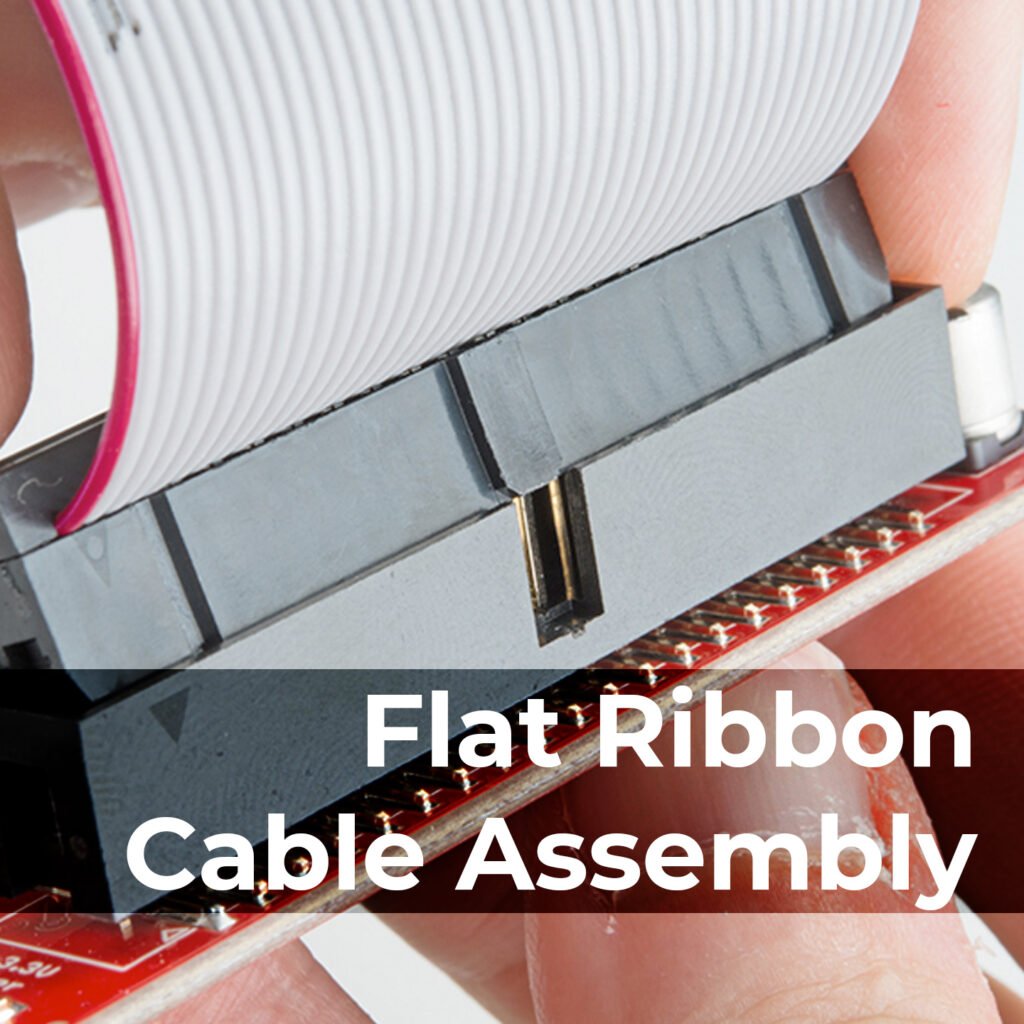
When you pick a computer ribbon cable, you want to make sure it fits your project. Start by checking the pitch. Pitch means the space between each wire. Most ribbon cables use a pitch of 0.05 inches, but some use other sizes. If you get the wrong pitch, the cable will not fit your connector.
Next, count the wires. This is called the conductor count. You need the same number of wires as the pins on your device. If you use too few, some parts will not work. If you use too many, the cable will not fit.
Look at the insulation type. Some cables use soft plastic that bends easily. Others use tougher material for extra protection. If you work in a place with lots of heat or movement, pick a cable with strong insulation.
Tip: Always match the cable to your device’s connector and environment. This helps you avoid problems later.
Installation tips
You want your ribbon cable to last. Here are some simple steps:
- Line up the colored stripe with pin 1 on your connector. This stops you from plugging it in backward.
- Push the connector in straight. Do not wiggle or force it.
- Avoid sharp bends. Bend the cable gently so the wires do not break.
- Keep cables away from sharp edges or moving parts.
If your device does not work, check the cable first. Make sure it is plugged in all the way. Look for broken wires or loose connectors. Sometimes, just reseating the cable fixes the problem.
For new devices, you might see other types of cables. Here is a quick table to help you compare:
| Alternative Type | Description |
|---|---|
| Flexible Flat Cables (FFCs) | These cables are thin and bend easily. They work well in tight spaces and have lots of pins. |
| FPC Connectors | You use these with FFCs. They let you connect flexible cables without using a hard circuit board. |
| Custom Flex Cables | You can design these for special jobs. They work like wire harnesses and fit many shapes. |
| Wire Harnesses | These are bundles of wires. You can use them for tricky routes and different wire sizes. |
You can use ribbon cables for many jobs, but sometimes a flex cable or wire harness works better in new computers or gadgets.
You now know the secrets behind computer ribbon cables. Here’s what you should remember:
- Ribbon cables keep things neat and simple.
- They still power many old computers and machines.
- Picking the right cable makes repairs and upgrades easier.
Tip: Use what you learned to fix, upgrade, or plan your next project. Ribbon cables may look old, but they still matter in today’s tech world!
FAQ
What are flex cables, and how do they compare to ribbon cables?
You see flex cables in many modern devices. They bend and twist easily. Ribbon cables stay flat and do not bend as much. The main differences between ribbon cables and flex cables come from their shape and how you use them in tight spaces.
Can I use flex cables instead of ribbon cables in my project?
You can use flex cables if your project needs lots of movement or tight bends. Flex cables work well in laptops, cameras, and phones. Ribbon cables fit best in places where you need flat, organized connections. Always check your device’s requirements before you switch.
Why do some devices still use ribbon cables instead of flex cables?
Some devices use ribbon cables because they keep things simple and organized. Ribbon cables cost less and work well for short, flat runs. Flex cables cost more but handle bending better. You pick the cable that matches your device’s needs.
How do flex cables carry signals?
Flex cables use thin conductive wires inside a flexible plastic strip. These wires move signals from one part to another. You can bend flex cables many times without breaking the conductive wires. This makes them perfect for devices that open and close.
Where do you find flex cables most often?
You find flex cables in smartphones, tablets, printers, and cameras. They connect screens, buttons, and other moving parts. Flex cables also show up in cars and medical tools. You see them anywhere you need a cable that bends and fits in small spaces.
Tip: If you work with modern gadgets, you will see flex cables almost everywhere!
