
You rely on embedded display port cables every time you open a modern laptop or tablet. These cables connect your device’s graphics card directly to the built-in display panel, making fast and clear images possible. Since 2008, embedded display port has become the standard for these connections, replacing older systems. Devices now use these advanced cables instead of LVDS, which helps support higher screen resolutions and stronger signal quality.
Aspect | Impact |
|---|---|
Technology Shifts | Devices use eDP cables for high-resolution displays. |
Advancement Impact | Cables now meet higher bandwidth needs for 4K/8K displays. |
YLS leads the way in customizable display FFC cable solutions, offering you reliable eDP cables for all your electronics projects.
Key Takeaways
Embedded Display Port (eDP) cables connect graphics cards to displays, enabling high-resolution visuals and efficient data transfer.
eDP cables use fewer wires than older LVDS cables, allowing for thinner and lighter device designs, which is ideal for modern electronics.
These cables support high resolutions up to 7680×4320, making them perfect for devices that require sharp images and smooth video playback.
Choosing the right eDP cable involves checking compatibility with your device’s specifications, including pitch and pin count.
Proper installation and handling of eDP cables can prevent common issues like flickering or no signal, ensuring reliable performance.
What Are Embedded Display Port Cables
Definition & Function
You see embedded display port cables, often called eDP cables, inside many modern devices. These cables connect the graphics processor directly to the display panel. This connection lets your device show sharp images and smooth video. The eDP interface follows the VESA DisplayPort standard, which means you get high-quality audio and video output.
When you use a laptop or tablet, eDP cables help your screen reach resolutions like 4K and even higher. These cables make it easy to link the main board to the LCD, so you get fast data transfer and clear visuals. The eDP interface also supports faster transmission speeds than older systems. You benefit from fewer wires inside your device, which saves space and lowers costs.
Here is a quick look at what eDP cables do for you:
Function/Advantage | Description |
|---|---|
High Performance Interface | Based on the VESA DisplayPort Standard, allows for high-quality audio/visual output. |
4K and Beyond Support | Enables displays to achieve resolutions of 4K and higher. |
Direct Connection | Facilitates easy connections between sources like personal computers and LCDs. |
Compatibility with DisplayPort Standard | Ensures versatility in connections. |
Higher Transmission Speeds | Offers faster data transmission compared to older LVDS cables. |
Reduced Space and Cost | Uses fewer conductors, saving space and reducing costs in design. |
You can find eDP cables in many devices, from laptops to industrial panels. Companies like YLS provide these cables, making sure you get reliable and customizable solutions for your projects.
eDP vs. LVDS & DisplayPort
You might wonder how eDP cables compare to other display connection types. The main alternatives are LVDS and standard DisplayPort cables. LVDS was popular in the past, but eDP now leads in most new designs.
Let’s compare eDP and LVDS:
Feature | eDP | LVDS |
|---|---|---|
Noise | Lower | Higher |
Power Consumption | Reduced | Standard |
Adoption | Increasing in industrial | Most popular in industry |
Interface Type | Native in modern CPUs | Older standard |
You get several advantages with eDP cables. For example, eDP uses only five signal wires, while LVDS needs up to eighteen. This means your device can be thinner and lighter. eDP also uses micro-packets for data, which makes the connection more efficient. The eDP interface includes a sideband channel, so your device can automatically discover and adjust display settings. LVDS does not offer this flexibility.
Here are some key differences you should know:
eDP cables use fewer signal wires than LVDS cables.
eDP employs micro-packets for data transmission, while LVDS relies on differential pairs.
The eDP interface has a sideband channel for automatic display discovery and adjustments.
eDP works with DisplayPort connections, so you get more options for your device.
Standard DisplayPort cables connect external monitors to computers. In contrast, eDP cables work inside your device, linking the motherboard to the built-in screen. Both use the DisplayPort standard, but eDP is designed for internal use and saves space.
You can choose eDP cables for better performance, lower power use, and easier integration in modern electronics. YLS offers a range of eDP and other display FFC cables to fit your needs.
eDP Cables: Features & Specs
Structure & Design
You will find that edp cables have a unique structure that supports both flexibility and durability. Each cable contains several important components that work together to deliver high-quality signals. The table below shows the main parts you will see in a typical displayport cable:
Component | Description |
|---|---|
Source | Generates video signals, often inside the main processor |
eDP Transmitter | Converts parallel video signals to serial displayport protocol |
Main Link | High-speed differential lanes (1 to 4) for video and audio data |
Auxiliary Channel | Bi-directional channel for control and configuration |
Sink | Receives and decodes displayport signals to control the panel |
Backlight Control | Manages backlight and panel power |
Optional Components | Features like PSR, LTTPR, VSC for extra performance |
The physical design of these cables also matters. You will notice twisted wire pairs inside, which help reduce noise and interference. High purity copper conductors provide low impedance and resist oxidation. An insulation layer protects the conductor and keeps the signal strong. A shielding layer blocks outside interference, while the outer skin adds flexibility and protection. This design lets you use edp cables in tight spaces without losing reliability.
Signal Integrity & Performance
You want your displayport connection to deliver clear images and smooth video. Several factors affect signal integrity and performance:
Cable length can impact image quality. Longer cables may cause signal loss.
Electromagnetic interference can disrupt signals, especially in busy environments.
Good cable design helps maintain higher transmission speeds and resists interference.
Displayport cables use differential signals and shielding to keep your connection stable. You get reliable performance even in challenging conditions.
Tip: Always choose a cable with proper shielding and the right length for your device. This helps you avoid flickering or unstable images.
Customization Options
You may need a custom solution for your project. Edp cables offer many options to fit your needs. You can select the pitch, pin count, and EMI shielding that match your device. The table below shows common choices:
Customization Aspect | Details |
|---|---|
Pitch | 0.3–1.25mm |
Pin Count | 4–60 pins |
EMI Shielding | Optional |
YLS can customize your cable for any application. You can specify the connector type, cable length, and even the packaging. YLS holds ISO9001:2008 certification and meets RoHS standards, so you know your cables meet strict quality requirements. You get a displayport cable that fits your design and delivers strong performance.
Advantages of Embedded Display Port
Power & Efficiency
You gain several benefits when you use embedded display port cables in your device. These cables help you save power and improve efficiency. Unlike older displayport cable technologies, edp cables use less energy. You see lower power consumption compared to LVDS. The Panel Self-Refresh feature lets your screen refresh from local memory when the image stays the same. This means your graphics processor can enter a low-power state. You get longer battery life and less heat in your laptop or tablet.
Lower power use than LVDS
Panel Self-Refresh reduces energy drain
Less heat and longer battery life
Note: Choosing edp cables with the right connector and shielding helps you maximize power savings.
High Resolution Support
You want sharp images and smooth video. Embedded display port cables deliver high performance audio/visual interface for your device. These cables support very high resolutions, so you can enjoy clear visuals. The latest displayport standards allow you to reach up to 7680×4320 at 60 Hz. You can use edp cables in devices that need 4K or even 8K screens.
Display | Maximum resolution |
|---|---|
eDP 1.4 | 7680×4320 @ 60 Hz |
displayport | 7680×4320 @ 60 Hz |
Thunderbolt 3 | 7680×4320 @ 60 Hz |
You get the advantages of edp cables when you want high-quality visuals. These cables work with the right connector to ensure stable performance.
Integration in Modern Devices
You see embedded display port cables in many modern devices. These cables make it easy to design ultra-thin laptops and tablets. You only need one cable and connector to connect multiple screens. This reduces clutter and makes assembly faster. The Tri-Screen 3 uses a fully embedded USB-C cable, so you never worry about losing your connector. You get plug-and-play convenience and a clean look.
Feature | Description |
|---|---|
SINGLE CABLE CONNECTION | One embedded USB-C cable powers both additional screens – no messy wires or dongles. |
Just one cable for two more screens | Tri-Screen with a single embedded USB-C cable. No setup headaches, no separate power cable required! |
Embedded Cable Management | Fully embedded USB-C cable, integrated directly into the frame. No more searching for the right connector. |
You benefit from easy integration, fewer cables, and reliable connectors. Embedded display port cables help you build devices that are slim, efficient, and powerful.
Applications of eDP Cables
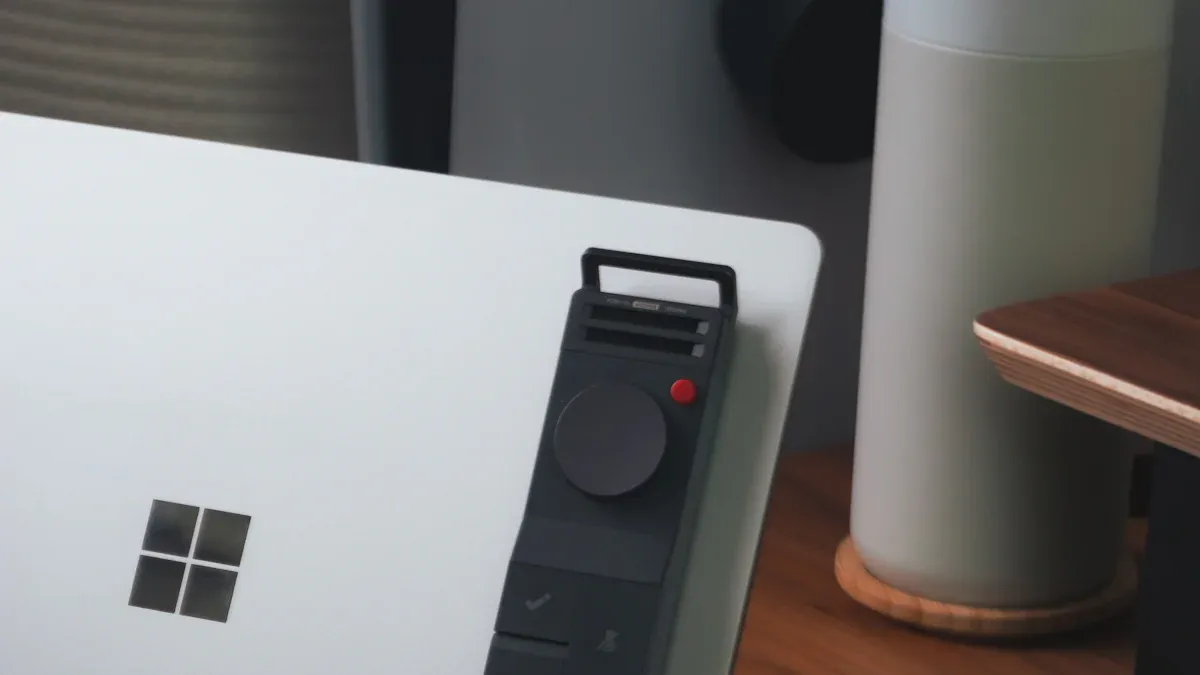
You interact with displayport technology every day, often without realizing it. The common uses of edp cables span a wide range of devices, making them essential for modern electronics.
Laptops & Tablets
You find edp cables inside almost every laptop and tablet. These cables connect the graphics processor to the built-in display, allowing you to enjoy sharp images and smooth video. Manufacturers choose displayport for its ability to support high resolutions and fast refresh rates. You benefit from thinner screens and lighter devices because the cable design reduces bulk. The connector fits easily into compact spaces, which helps engineers create slim and portable products.
Laptops
Personal computers
HD displays (monitors, TVs)
You rely on these connections for clear visuals whether you stream videos, play games, or work on presentations.
Industrial & Touch Panels
You see displayport cables in industrial and touch panel applications as well. These displays often serve as the first touchpoint for users in AIoT systems. Reliable performance matters because poor display quality can lead to unresponsive operation. Industrial panels use edp cables to ensure fast data processing and rapid response times. The connector supports USB-C Power Delivery, which adds more functionality in rugged environments.
Industrial displays shape user experiences in smart factories.
Touch monitors must perform reliably to maintain system reputation.
The 10.1” USB-C display supports DisplayPort Alt Mode and USB-HID for touch, making integration simple.
Plug-and-play operation and universal compatibility make setup easy.
You can trust standard stock edp cables to deliver consistent results, even in challenging conditions.
Mobile & Smart Devices
You also find displayport cable solutions in mobile and smart devices. Smartphones, smart locks, and wearables use edp cables for their compact size and flexibility. The connector allows for easy integration, even in devices with limited space. You get high-quality visuals and responsive touch features, which improve your daily experience.
Mobile devices use edp cables for high-resolution screens.
Smart devices rely on flexible cables for reliable connections.
The connector ensures stable performance in small form factors.
Tip: When you select edp cables for your project, check the connector type and cable length to match your device’s requirements.
You see embedded display port technology powering everything from laptops to industrial panels and smart devices. This versatility makes displayport the preferred choice for many engineers and designers.
Choosing eDP Cables
Key Selection Factors
When you select an embedded displayport cable, you need to think about your device’s needs. Not every cable fits every project. You want to make sure your displayport solution matches your display and system. Here are some important factors to consider:
Check if the displayport cable supports high resolutions and fast refresh rates. This matters for clear images and smooth video.
Make sure the cable works with multiple displays if you plan to use more than one screen.
Look for support for USB-C Alt-Mode. This feature lets you use a single connector for both power and displayport signals.
Multi-Stream Transport (MST) allows you to connect several displays using one displayport connector.
Display Stream Compression (DSC) helps send large amounts of data without losing quality.
You should also match the cable’s pin count and pitch to your device. The right connector ensures a secure fit and stable performance.
Installation Tips
You want your displayport cables to work right the first time. Proper installation helps you avoid problems later. Follow these tips for the best results:
Always handle the cable by the connector, not the wires. This keeps the cable safe from damage.
Insert the connector straight into the port. Do not force it or bend the cable sharply.
Double-check that the connector clicks into place. A loose connection can cause flickering or no signal.
Keep the cable away from sources of interference, like power supplies or motors.
Tip: Use the shortest displayport cable possible for your setup. Shorter cables help maintain signal quality.
Troubleshooting
Sometimes, you may face issues with your displayport cables. Here are common problems and how you can solve them:
If your monitor shows no signal, disconnect and reconnect the displayport cable. This simple step often fixes the issue.
Black screens or flickering can happen at high refresh rates or when using Display Stream Compression. Try lowering the resolution or refresh rate to see if the problem goes away.
Even certified displayport cables can fail. If you suspect a bad cable, test with another displayport cable or connector.
Make sure the connector is clean and free of dust.
Note: If problems continue, check your device’s settings or consult a professional for help.
You have seen how embedded display port cables power modern devices. These cables offer reduced power consumption, lighter weight, and support for high-performance LCDs, as shown below:
Advantage | Description |
|---|---|
Reduced power consumption | Enables longer battery life for notebooks. |
Lighter weight internal cabling | Reduces overall system weight, beneficial for portable devices. |
Support for higher-performance LCDs | Facilitates advanced applications like 3D stereo and high refresh rates, enhancing user experience. |
When you select a displayport cable, you must check compatibility, supported resolutions, and connector type. The right cable and connector prevent damage and ensure your displayport system works well. You should always choose cables from manufacturers who meet compliance testing and use authorized testing centers. YLS provides customizable displayport cables and connector solutions for your needs. If you have questions about displayport, reach out to experts for support.
FAQ
What is the main difference between eDP and LVDS cables?
You get higher data rates and better power efficiency with eDP cables. LVDS cables use more wires and support lower resolutions. eDP cables also allow for thinner and lighter device designs.
Can I use any eDP cable for my device?
You need to match the cable’s pitch, pin count, and connector type to your device. Always check your device’s specifications before choosing an eDP cable.
How do I know if my eDP cable is faulty?
You may see flickering, black screens, or no signal. Try another cable or test your cable in a different device. If the problem continues, your cable may be faulty.
Are eDP cables flexible for custom designs?
Yes! You can order eDP cables in custom lengths, shapes, and pin layouts. This helps you fit the cable into unique device designs or tight spaces.
